Injection Molding DFM Review Before Tooling
Find the Problems While They Are Still CAD Changes
Once a mold is cut, every geometry change means welding, re-machining or new steel. Before that point, the same change is an afternoon in CAD. This is a fixed-scope design for manufacturing review of one plastic part, done before you send the files to a tool maker.
The part is checked feature by feature against how it will be molded: how it fills, cools, shrinks and comes out of the tool. You receive a marked-up PDF report with prioritised fixes, a short call to walk through it, and, if you want them, the fixes made in CAD. The scope and price are fixed and confirmed in writing before work starts.
- One part per review, checked against your material, volume and cosmetic requirements
- Every finding has a location, a reason and a recommended fix
- Optional Moldflow fill check and optional CAD fixes
- NDA on request before you share files
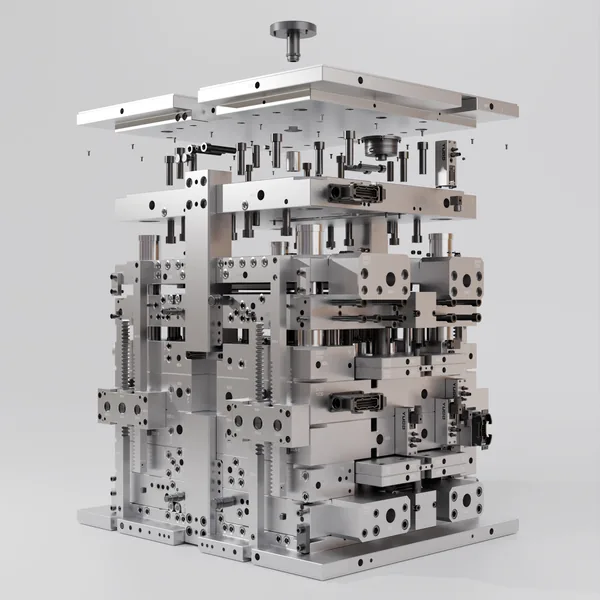
Portfolio visualization of a mold tool assembly, shown for context. Not a client project.
What the Review Checks
The checks a tool maker will run anyway, done before the quote, so the questions come back as answers instead of change requests.
Draft Angles
Draft on every face in the pull direction, extra draft for textured faces, and faces that will drag, scuff or stick on ejection.
Wall Thickness & Sink
Nominal wall, thick sections, abrupt transitions and the cosmetic faces where sink marks or voids would show.
Undercuts & Side Actions
Features that cannot release in the main pull, and whether a slide, lifter, shutoff or a small redesign is the cheaper route.
Ribs, Bosses & Snaps
Rib and boss proportions relative to the wall, coring, root radii, snap-fit strain and screw boss design.
Gate, Ejector & Parting Line
Likely gate location and its marks, weld line positions, where ejector pins can land, and where the parting line will show.
Tolerances
Which dimensions are critical, which tolerances a molded part can actually hold, and where a drawing over-specifies.
Material & Shrinkage
Material choice against function, shrinkage and warpage risk, glass-fill orientation, and notes for the tool maker.
Cosmetic Surfaces
Class A faces, texture and its draft, flow lines and the visible marks that need to be agreed before tooling.
Optional Moldflow Fill Check
For parts with long flow lengths or thin walls: fill pattern, weld lines and air traps checked in Moldflow.
What a Finding Looks Like
Each finding in the report follows the same structure, with a screenshot of the CAD marked up at the location. The example below is illustrative and generic: a typical issue on a plastic enclosure, not taken from a client project.
| Priority | High: fix before the part is released for tooling |
|---|---|
| Location | Screw boss on the inside of an ABS enclosure lid, directly behind the cosmetic top face |
| Observation | The boss is solid and its wall is noticeably thicker than the 2.0 mm nominal wall of the lid. |
| Why it matters | The thick section cools last, so a sink mark is likely on the visible top face, and cycle time increases. |
| Recommended fix | Core out the boss so its wall is a fraction of the nominal wall, as recommended for the chosen material, and support it with thin gussets to the wall instead of mass. |
| Effect of the fix | A CAD change only if made now; after tooling it would mean modifying the core. |
How findings are prioritised: High means fix before tooling. Medium means fix, or accept knowingly after agreeing it with the tool maker. Low covers cost, cycle time or cosmetic improvements that are worth knowing but not blocking.
What You Receive
A review you can act on, and a file set your tool maker can quote from.
Marked-Up PDF Report
Every finding with its location, observation, reason and recommended fix, sorted by priority, plus material and shrinkage notes and the questions to put to your tool maker.
Walkthrough Call
A short video call to go through the high-priority findings, agree what changes, and decide what can be accepted as it is.
Optional CAD Fixes
The agreed changes modelled in Fusion 360 and delivered as SolidWorks-compatible STEP or Parasolid files, with updated drawings if needed.
How the Review Works
Four steps, with the price and delivery date fixed before any work starts.
Send the Part
Share the CAD (STEP or Parasolid is ideal), the intended material, expected volume, cosmetic faces and critical dimensions. Need an NDA first? It is signed before you send anything confidential.
Fixed Quote
The files are checked and you receive a fixed price, scope and delivery date, confirmed in writing before work starts. Optional Moldflow and CAD fixes are quoted separately so you can choose.
Review & Report
The part is reviewed feature by feature, with the Moldflow fill check if included, and you receive the marked-up PDF report with prioritised fixes.
Call & Optional Fixes
A walkthrough call to agree the changes. If CAD fixes are in scope, the updated model follows as SolidWorks-compatible STEP or Parasolid files.
Not sure yet? Start with the free initial DFM review of one part: short written observations to help you decide whether the full review is worth it.
Prepare Your Part First
Self-check guides and the wider DFM service this review belongs to.
Injection Molding DFM: 7 Questions
The questions to answer in CAD before a plastic part goes to a mold shop.
DFM Checklist
Molded, machined, sheet metal, additive and assembly risks to check before manufacturing.
Design for Manufacturing Services
DFM for CNC machining, sheet metal, additive manufacturing, assembly and supplier packages.
DFM Review FAQ
How is this different from the free initial DFM review?
The free initial review gives short written observations on one part so you can decide whether paid work is needed. The fixed-scope review goes feature by feature through the whole part and ends with a marked-up PDF report, prioritised fixes, a walkthrough call and, if you want them, the CAD changes.
What do I need to send?
A STEP or Parasolid file is ideal; SolidWorks part files can be opened too. Add the intended material, expected volume, cosmetic faces, critical dimensions and any feedback you already have from a molder. An NDA can be signed before you share anything.
Is a Moldflow simulation included?
A Moldflow fill check is optional. It is worth adding when fill balance, weld lines, air traps or a long flow length are a real risk, and it is agreed as part of the fixed scope before work starts, not added later.
How much does a DFM review cost?
The price depends on the size and complexity of the part and whether a Moldflow check or CAD fixes are included. You get a fixed quote after the files are checked, confirmed in writing before work starts.
Can you make the changes in the CAD?
Yes, as an optional step. Fixes are modelled in Fusion 360 and delivered as SolidWorks-compatible STEP or Parasolid files. Feature history does not travel through a STEP file, so every change is also listed in the report and can be repeated in your native model if you prefer.
Who does the review?
Ignas Anskaitis, the founder of IAEngineering: a mechanical engineer with a B.Sc. from the University of Twente and more than 200 projects behind him. You talk to the person who reviews your part, in English, Spanish or Lithuanian.
Review Your Part Before Steel Is Cut
Send the CAD, material and expected volume. You get a fixed quote, confirmed in writing before work starts.
Request a DFM Review